Week 153 - Cortex Code Skills

Challenge
Professor Frosty is tired of manually checking the Frosty Friday website every week to see what the new challenge his ridiculous intern has come up with. He wants to type a single command in his terminal and have everything taken care of -- fetch the latest challenge, open it in the browser, and get a plain-English summary of what he needs to do.
Your mission: build a Cortex Code skill that automates this entire workflow.
What is a Cortex Code Skill?
A skill is a reusable instruction set (written in Markdown) that teaches Cortex Code how to complete a specific task. Skills live in a folder with a SKILL.md file and are invoked using the $ prefix in the Cortex Code CLI (e.g. $frosty-friday).
Skills are stored in one of these locations:
| Priority | Location | Path |
|---|---|---|
| 1 | Project | .cortex/skills/ in your repo |
| 2 | Global | ~/.snowflake/cortex/skills/ |
Assignment
Create a Cortex Code skill called frosty-friday that, when invoked with $frosty-friday, performs the following:
Step 1 -- Scrape the Challenge Index
Use the web_fetch tool to retrieve the challenge listing page at https://www.frostyfri.day/en/challenges and identify the most recent challenge (the first one listed on the page). Extract:
- The challenge week number (e.g. "Week 152")
- The challenge category (e.g. "SQL & Query Techniques")
- The URL to the full challenge page
Step 2 -- Fetch the Full Challenge
Use web_fetch again to retrieve the full challenge page. Extract the complete challenge description, including:
- The backstory / scenario
- The setup code (if any)
- The assignment steps
- The expected output
- Any hints
Step 3 -- Open in Browser
Open the challenge URL in the user's default browser so they can see it in full.
Step 4 -- Summarize
Present the user with a clear, concise summary:
- Week number and title
- Category and difficulty
- What the challenge is asking you to do (in plain English, 3-5 bullet points)
- Key concepts you'll need to know
- The URL for reference
Requirements
Your skill must:
- Be a valid Cortex Code skill with proper frontmatter (
name,description) in aSKILL.mdfile - Use the
web_fetchtool to scrape the Frosty Friday website (NOTbash curlor Python requests) - Use the
bashtool to open the URL in the browser (e.g.open <url>on macOS,xdg-open <url>on Linux) - Handle the case where the challenge index page URL may redirect (the skill should instruct the agent to follow redirects)
- Work without any hardcoded challenge URLs -- it must dynamically find the latest challenge every time it runs
- Include at least one stopping point where the user is shown the summary and asked if they want more detail
Skill Structure
Your final deliverable should look like this:
~/.snowflake/cortex/skills/frosty-friday/
└── SKILL.md
I'm Stuck, Help!
Hint 1: Frontmatter
Your SKILL.md should start with YAML frontmatter:
---
name: frosty-friday
description: "Fetch and summarize the latest Frosty Friday challenge. Use when: checking for new challenges, getting challenge details. Triggers: frosty friday, latest challenge, new challenge, weekly challenge."
---
Hint 2: Parsing the Index
The challenge index at https://www.frostyfri.day/en/challenges lists challenges with the newest first. The text content will contain patterns like:
Week 152 - SQL & Query Techniques Read MoreYour skill should instruct the agent to find the first "Week NNN" pattern and extract the associated URL. The URL is not directly in the text -- you'll need to instruct the agent to look at the HTML content or follow the "Read More" link pattern.
Hint 3: Following Links
The challenge URLs on frostyfri.day use slugs like /en/challenges/8u2go0zwcrytyd7a5w1nu9mq6cl3fg. These aren't predictable from the week number. Your skill should instruct the agent to extract the actual href from the HTML, or try the pattern https://www.frostyfri.day/en/challenges/week-NNN and follow any redirects.
Hint 4: Opening the Browser
To open a URL in the default browser from the terminal:
# macOS
open "https://www.frostyfri.day/en/challenges/..."

# Linux
xdg-open "https://www.frostyfri.day/en/challenges/..."
Your skill should detect the OS or default to macOS since most Snowflake practitioners use it.
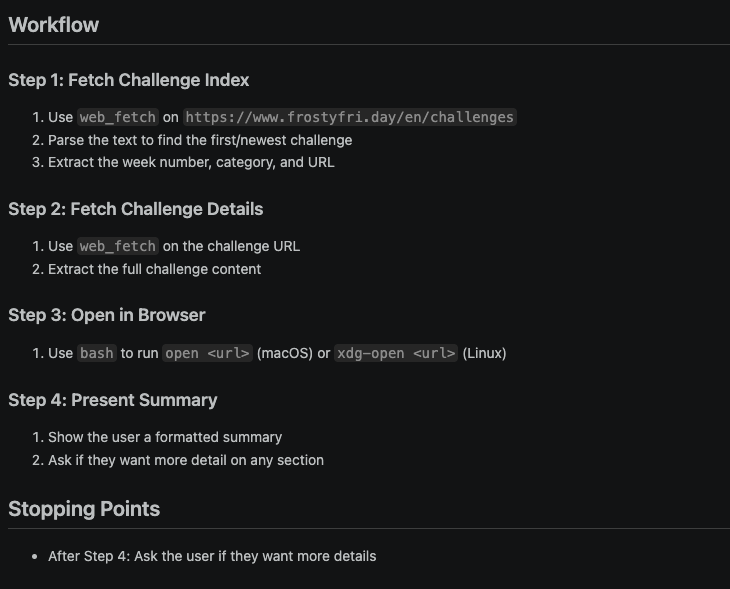
Hint 5: Complete Workflow Pattern
Your SKILL.md workflow should roughly follow:
## Workflow

### Step 1: Fetch Challenge Index
1. Use `web_fetch` on `https://www.frostyfri.day/en/challenges`
2. Parse the text to find the first/newest challenge
3. Extract the week number, category, and URL

### Step 2: Fetch Challenge Details
1. Use `web_fetch` on the challenge URL
2. Extract the full challenge content

### Step 3: Open in Browser
1. Use `bash` to run `open <url>` (macOS) or `xdg-open <url>` (Linux)

### Step 4: Present Summary
1. Show the user a formatted summary
2. Ask if they want more detail on any section

## Stopping Points
- After Step 4: Ask the user if they want more details
Prove It Works
Invoke your skill:
$frosty-fridayThe agent should:
- Fetch the Frosty Friday challenges page
- Identify the latest challenge (currently Week 152 at time of writing -- yours may differ!)
- Open it in your browser
- Present you with a summary like:
Hints
- Read the Snowflake Cortex Code documentation on skills
- The
web_fetchtool returns both raw HTML and extracted text -- use whichever is more useful for each step - Skills are Markdown files that guide the agent's behavior -- think of them as detailed instructions, not executable code
- Test incrementally: get Step 1 working before moving to Step 2